Animation add-ons
New places for your music to take you. Future collections will live here.
Coming soon ↗
 Downloads ↗
The soul of classic hi-fi. A distinctly modern feel.
Give your music a place of its own.
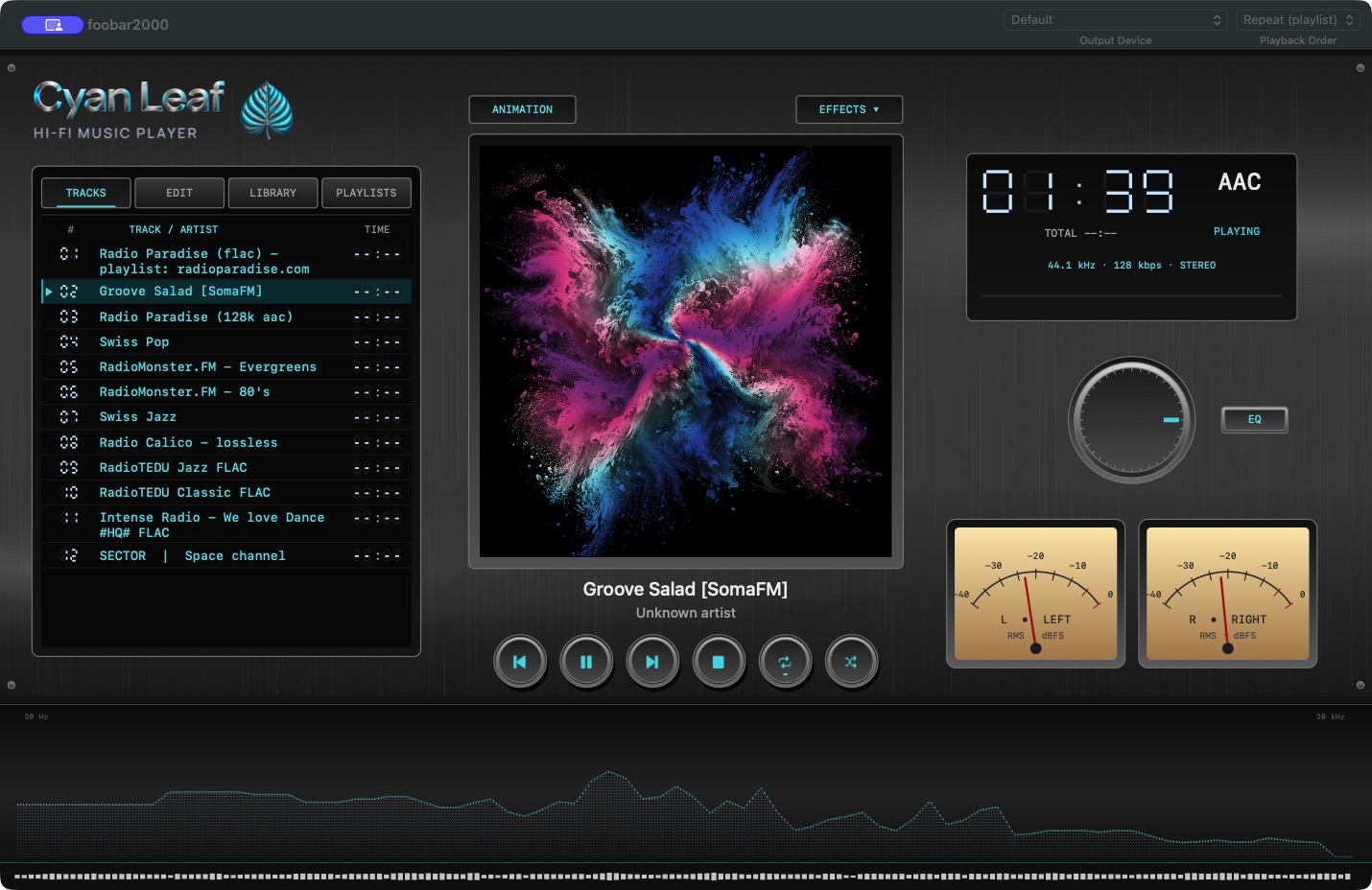
THE LISTENING EXPERIENCE
A brushed-metal finish. The glow of cyan. The quiet movement of analog meters. Cyan Leaf brings the character of a hi-fi system to your Mac.
Browse your library, enjoy your album artwork, or slip into a visual world while the music plays.
FIVE WORLDS. YOUR SOUNDTRACK.
Discover the visual worlds of Cyan Leaf.
Future downloadable collections: Coming soon.

Artwork preview. Animations play inside Cyan Leaf.
THE NEXT CHAPTER
Coming soonNew visual collections. New possibilities.
The Cyan Leaf collection is just beginning.
New places for your music to take you. Future collections will live here.
Coming soon ↗A new chapter for Cyan Leaf. Features and release details will be announced here.
Coming soon ↗
YOUR NEXT LISTEN STARTS HERE · VERSION 2.0.2
Get Cyan Leaf for your Mac.
Download both files to bring the interface and its visual worlds to foobar2000.
The component includes the animations and visual resources. Music and foobar2000 are installed separately.
A FEW THINGS TO KNOW
Cyan Leaf is a hi-fi inspired interface for foobar2000 on Mac, with library browsing, album artwork, animated visuals and playback controls. It requires foobar2000; it is not a standalone music player.
The current build is designed for Apple Silicon Macs (M1 or later), running macOS 12 or later. It has been tested with foobar2000 2.26 for Mac. Intel Macs are not supported by this build.
The Cyan Leaf component and layout are available above. Additional animation collections and Pro are coming soon. Release details will appear here when they are ready.
No. You bring your own music and install foobar2000 separately. Visit foobar2000 for Mac ↗
LET’S TALK
Questions, ideas or feedback?
Get in touch with Cyan Leaf.
cyanleaf.skin@gmail.com